
Attendance &Workforce Management
Clock in from any browser with geo-location, or at biometric and face recognition devices. Every method, geofence, shift and rule is set up from the BOSS HRMS screens.
- Geo-location web clock-in
- Biometric attendance
- Face recognition attendance
- Configured from the admin screens
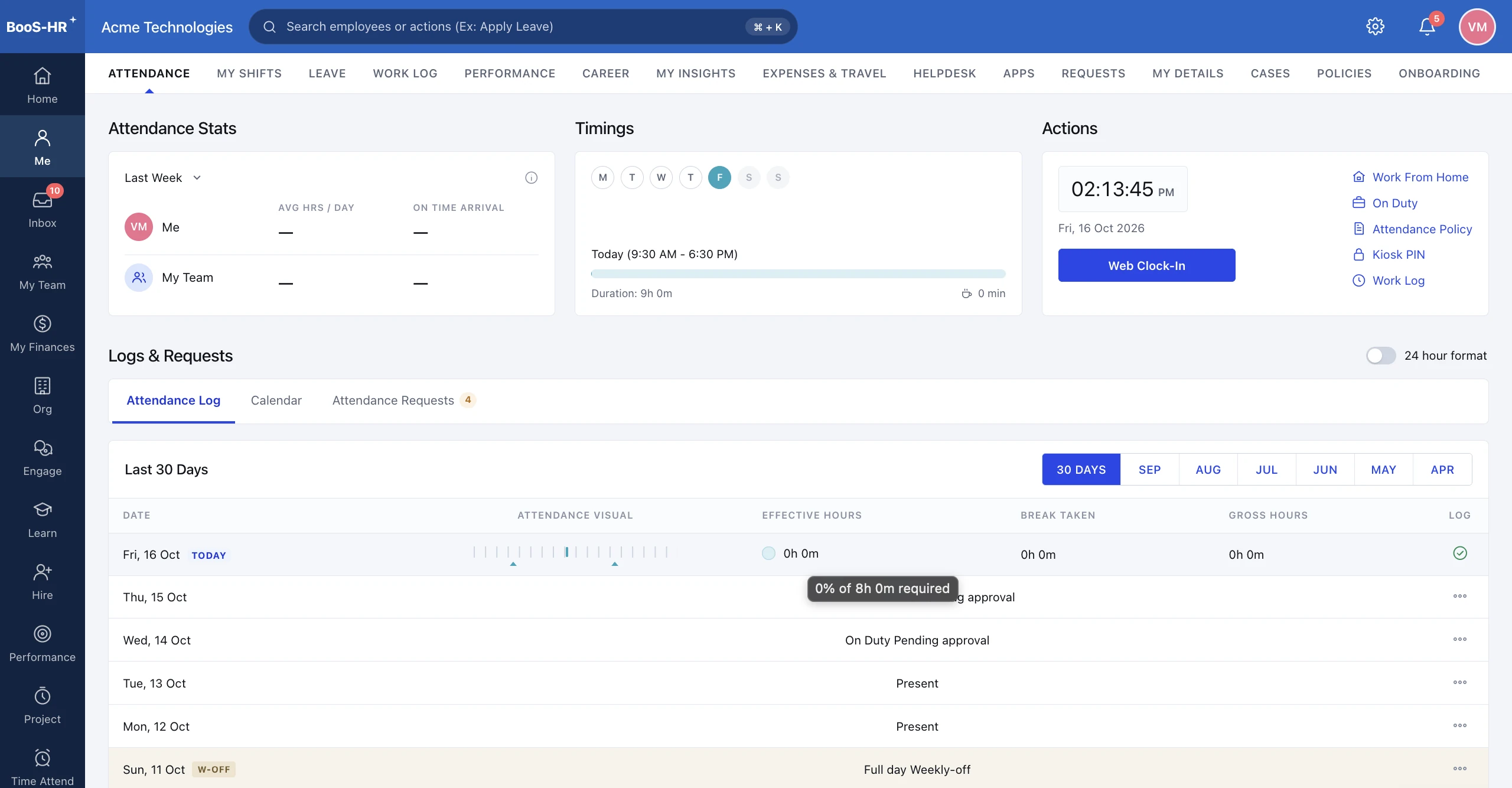
Geo-location Web Clock-in
Employees clock in from their browser; their location is captured with every punch.
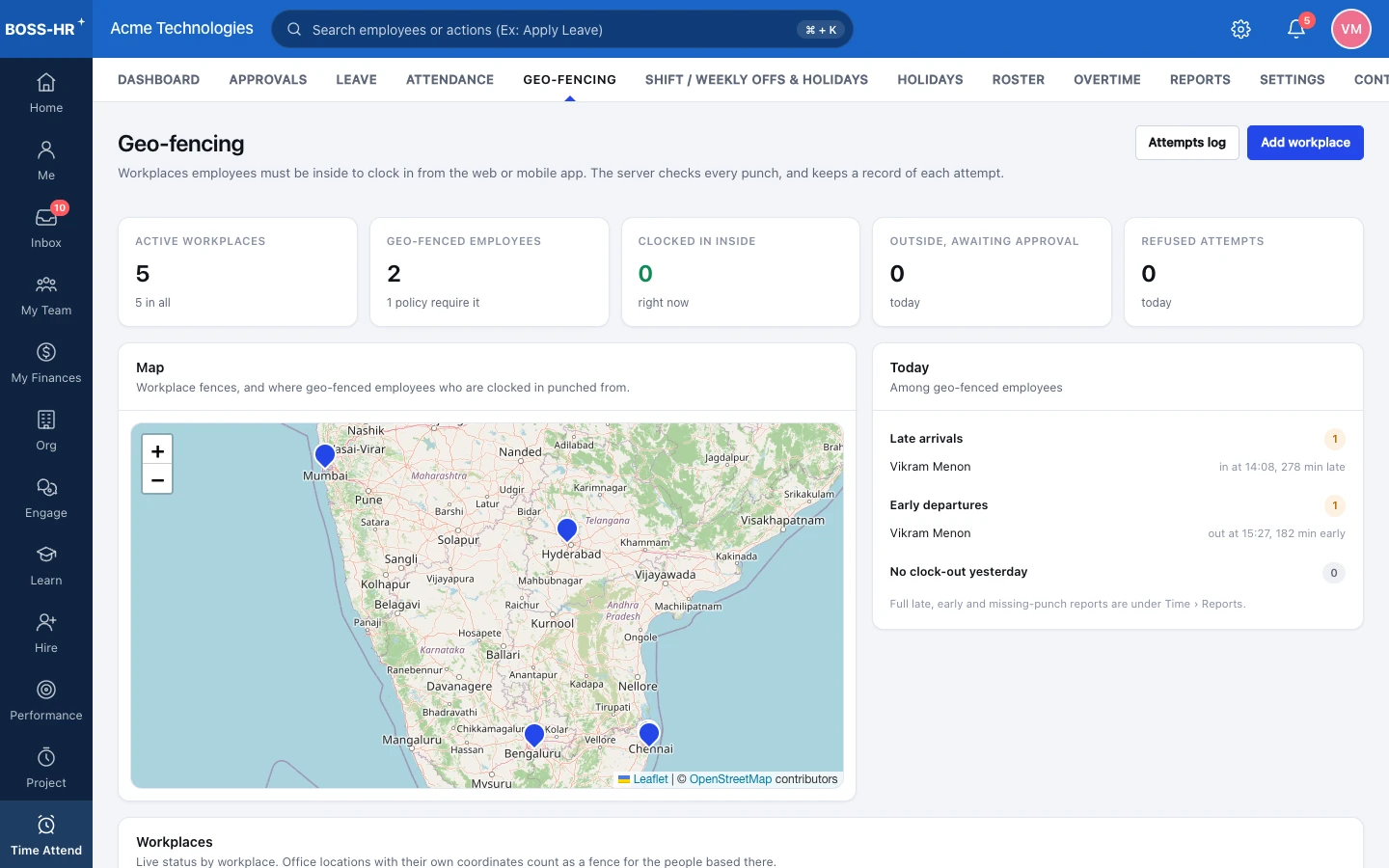
Geofencing
Allow clock-ins only inside the boundaries you draw around each site.
Biometric Attendance
Fingerprint punches from biometric devices sync straight into attendance.
Face Recognition
Employees clock in by face, with no card or fingerprint needed.
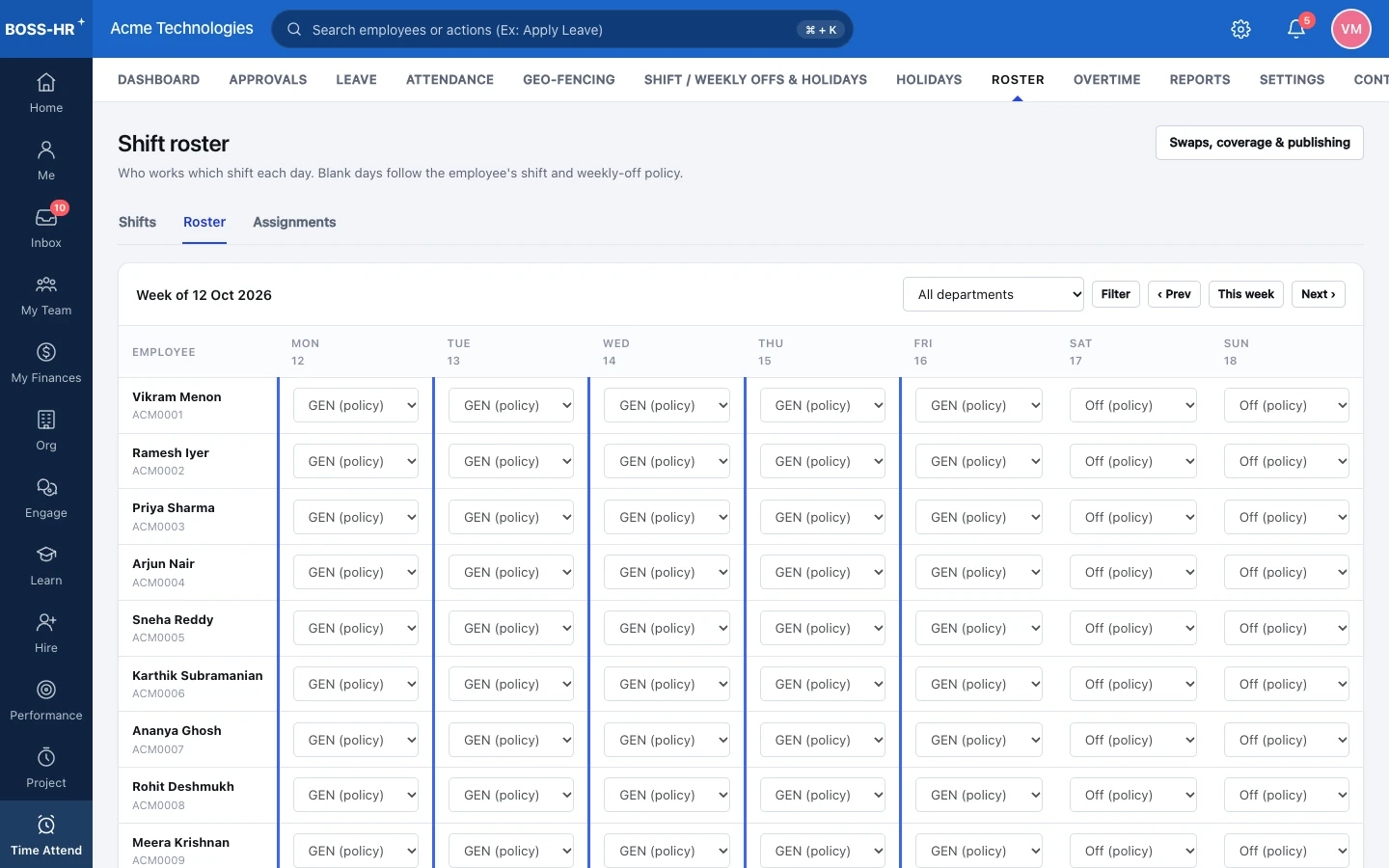
Shifts & Policies
Shifts, grace periods, overtime and holiday rules, all configured on screen.
Attendance in BOSS HRMS.
Actual screens from the product, shown with demo company data. Click any screen to view it full size.
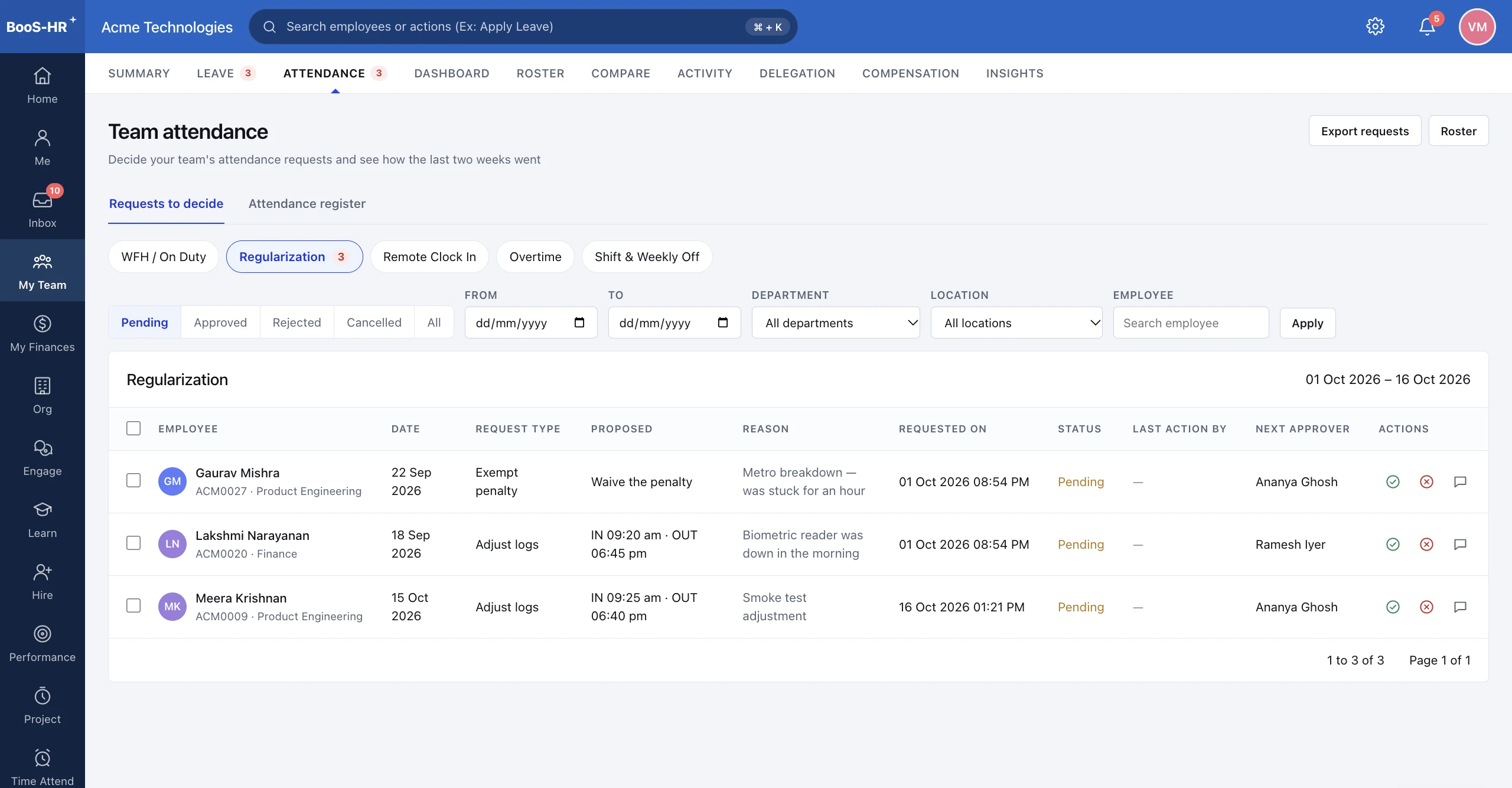
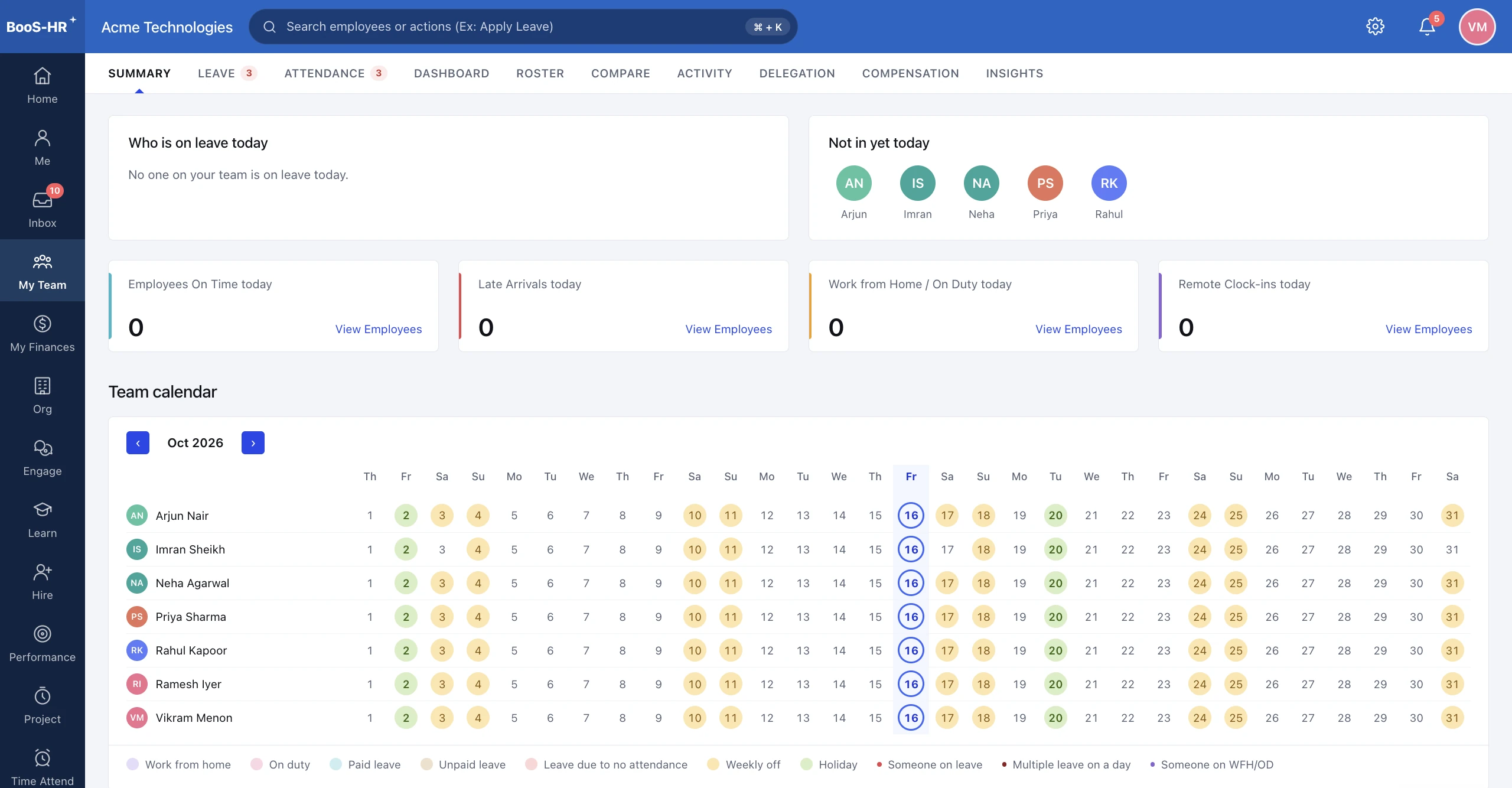
Attendance, up close.
A closer look at the screens your team uses every day.
Attendance Settings
Everything is configured here by your HR admin, with no code or developer needed. Changes apply to the panels below.
Rules
Clock-in Methods
The methods your admin has switched on.
Employees clock in from any browser on a laptop or phone, with their location captured on every punch. Punches outside the geofence are blocked.
Geofence Attendance
EnforcedSet location boundaries so attendance is marked only from authorised areas.
Main Office
Radius: 500 metres
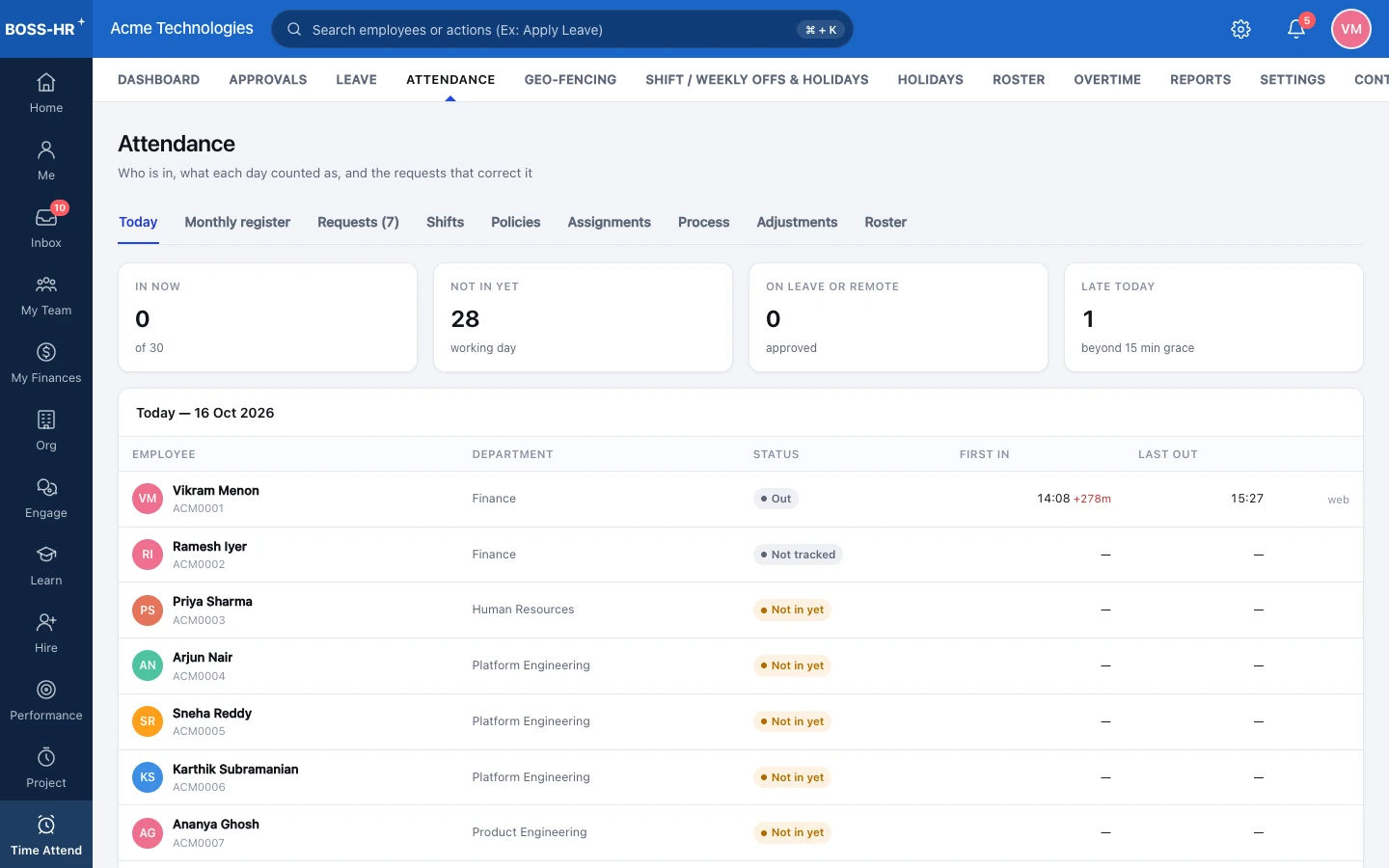
Live Attendance Activity
Monitor live check-ins, check-outs and attendance in real time.
- On Time
Aarav Sharma
Checked in · 09:02 AM
Main Office · Face Recognition
- On Time
Priya Mehta
Checked in · 09:15 AM
Main Office · Biometric
- Late
Rohan Kumar
Checked in · 09:28 AM
Branch Office · Web Clock-in
Shift Calendar View
Visualise team schedules, shifts and attendance in one view.
More in Attendance
BOSS HRMS
Explore more modules
See Attendance in BOSS HRMS
Book a guided walkthrough tailored to your workforce and premises. We'll show you exactly how it fits your workflows.