
Enterprise Security& Access Control.
Protect your video and your evidence: enterprise sign-in, role-based permissions, device trust, encryption, watermarking, tamper-evident exports and a full audit trail.
- LDAP / Active Directory, SAML 2.0, OpenID Connect
- Role-based access control
- Encryption and watermarking
- Audit log of every action
Cameras
5
NVRs
2
Offline
1
| Device | Site | Resolution | Status |
|---|---|---|---|
Main Entrance Camera · 30 FPS | Head Office | 1920 × 1080 | Online |
Parking Area Camera · 25 FPS | Head Office | 2560 × 1440 | Online |
Warehouse Camera · 25 FPS | Warehouse Hub | 1920 × 1080 | Online |
Office Floor Camera · 30 FPS | Head Office | 1920 × 1080 | Online |
Rear Gate Camera · 15 FPS | Plant 1 | 1280 × 720 | Offline |
NVR-HO-01 NVR | Head Office | 16 channels | Online |
NVR-WH-01 NVR | Warehouse Hub | 8 channels | Online |
Enterprise Sign-in
Local accounts, LDAP / Active Directory, SAML 2.0 and OpenID Connect.
Role-based Access
Admin, Operator and Viewer roles with page-level permissions.
Device Trust
A second factor after identity, using your PKI or managed devices.
Encryption
TLS-encrypted connections and protected sensitive data.
Watermarking & Signatures
Visible watermarks and digitally signed exports that reveal tampering.
Security & Access Control, up close.
A closer look at the console your security team uses every day.
Sign-in methods
3 of 4 enabledLDAP / Active Directory configuration
- Server
- ldaps://directory.corp.local:636
- Base DN
- dc=corp,dc=local
- Group → role
- VMS-Operators → Operator
- Sync
- Every 15 minutes
Device trust
A second check after identity: only trusted devices can open the console, even with a valid password or SSO session.
- CR-WS-01Control room workstation · certificate · managedAllowed
- SEC-LAPTOP-07Security team laptop · no certificate · managedAllowed
- Personal laptopUnknown device · no certificate · unmanagedBlocked
Role permissions
Page-level access| Page | Admin | Operator | Viewer |
|---|---|---|---|
| Live View | |||
| Playback | |||
| Export | |||
| PTZ | |||
| Devices | |||
| Reports | |||
| Users | |||
| Settings |
Admin always keeps full access. Users only see cameras inside their site scope.
Users
1 locked| User | Sign-in | Role | Scope | Status | Actions |
|---|---|---|---|---|---|
| admin.ops(you) | Local | All sites | Active | ||
| operator.shift-a | LDAP / AD | Production Block | Active | ||
| operator.shift-b | LDAP / AD | Warehouse | ActiveNew password at next sign-in | ||
| security.lead | SAML 2.0 | All sites | Active | ||
| viewer.mgmt | OIDC | All sites | Sign-in method off | ||
| contractor.temp | Local | Campus Grounds | Locked |
Force password change applies to local accounts; directory and SSO passwords stay with your identity provider.
Watermarked video
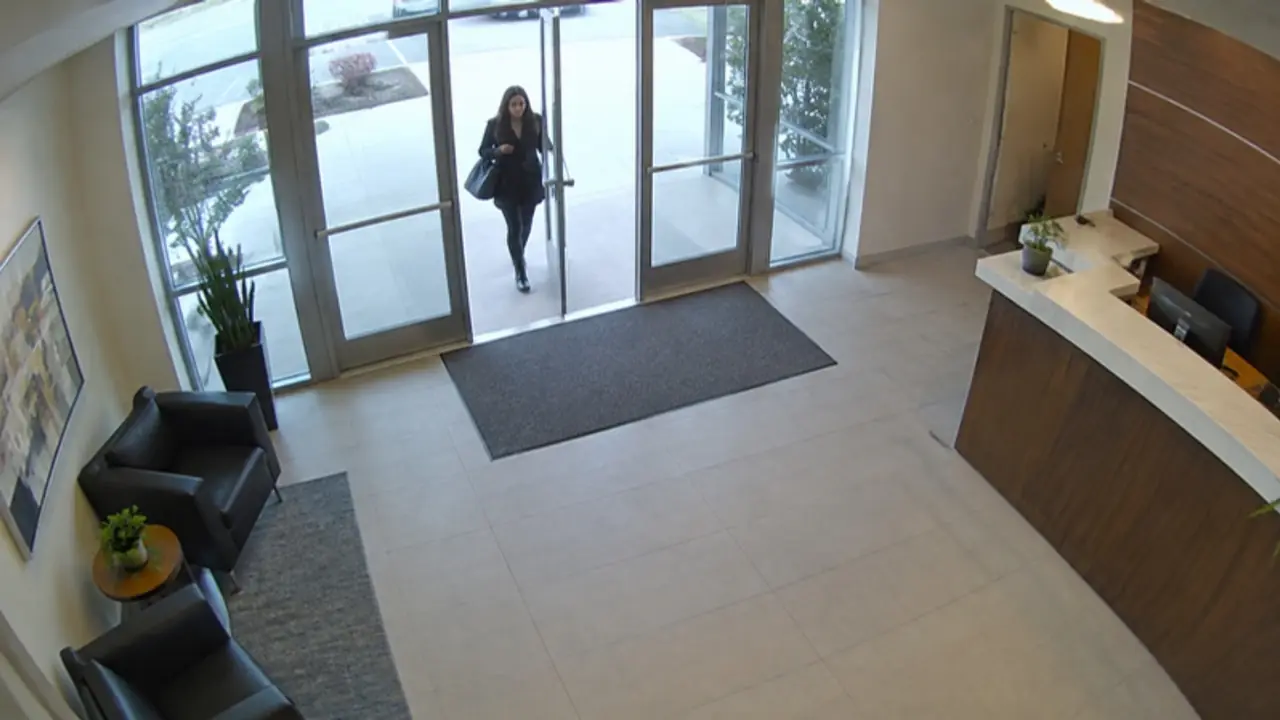 Live--:--:--Main Entrance
Every viewed and exported frame carries a visible watermark with the user and time.
Signed export
EXP-2291 · Main Entrance, 14:20–14:25
Exported by security.lead · digitally signed by BOSS VMS · SHA-256
Audit log6 entries
- 10:02:41Device trust
viewer.mgmt sign-in blocked: device not trusted
- 09:40:12Evidence
security.lead exported clip EXP-2290 (signed, watermarked)
- 09:21:05Video
security.lead moved PTZ: Perimeter PTZ to preset 3
- 09:17:33Video
security.lead searched playback: Loading Dock 2, 08:00–09:00
- 09:05:20Video
operator.shift-a opened live view: Main Gate
- 09:02:08Sign-in
operator.shift-a signed in via LDAP / Active Directory
Every sign-in, view, search, export, PTZ and settings change is recorded. Try changing something on the left.
More in Security & Access Control
BOSS VMS
Explore more capabilities
See Security & Access Control in BOSS VMS
Book a guided walkthrough tailored to your workforce and premises. We'll show you exactly how it fits your workflows.